'scripts/extract-cert.c:21:10: fatal error: openssl/bio.h: No such file or directory'
sudo apt-get install -y libssl-dev
sudo apt-get install -y libssl-dev
sudo apt-get install bison
SSHPass is a small command-line utility that lets you pass a password directly to an SSH connection, which means no interactive password prompt. Useful when you’re writing scripts that need to connect to remote machines without manual intervention. A word of warning before you go ahead: SSHPass is not secure. The password gets passed as a command-line argument, which means it can show up in process listings and shell history. It’s fine for personal automation on your own machines, but don’t use it in shared environments or anything that touches production systems. ...
What You Need Before You Begin Docker CE runs on a handful of 64-bit Ubuntu releases, so check you’re on one of these before carrying on: Ubuntu 18.04 (Bionic) - LTS Ubuntu 17.10 (Artful) Ubuntu 16.04 (Xenial) - LTS Ubuntu 14.04 (Trusty) - LTS The supported architectures are x86_64, armhf, s390x (IBM Z), and ppc64le (IBM Power). If you’re on IBM Z or Power, you’ll need at least Ubuntu 16.04 (Xenial). ...
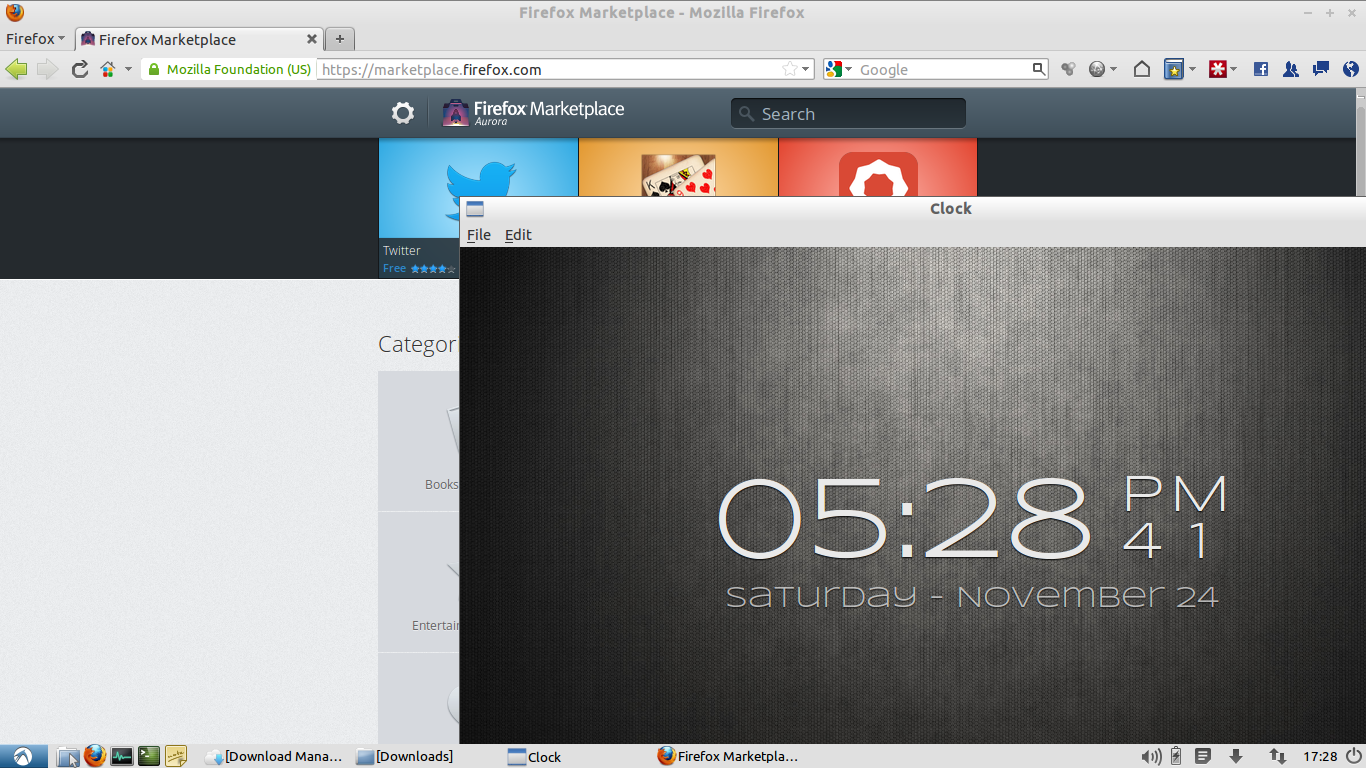
Mozilla announced Firefox OS back in 2011 under the codename Boot2Gecko, and since then the project has gone from a concept to something you can actually run on your desktop. I’ve been following it closely and finally got around to setting it up on my Ubuntu machine. Here’s how. What is Firefox OS? Firefox OS is Mozilla’s attempt at building a mobile operating system entirely from web standards. There’s no Java, no native SDK, no proprietary frameworks. The entire user interface – called Gaia – is built in HTML, CSS, and JavaScript. The rendering engine underneath is Gecko, the same one that powers Firefox. And at the bottom, it runs on a Linux kernel. ...
Firefox 4 just dropped and you want to try it without losing your current setup? You can run both versions at the same time. Add the Mozilla Daily PPA, update, then install: sudo add-apt-repository ppa:ubuntu-mozilla-daily/ppa sudo apt-get update sudo apt-get install firefox-4.0 Firefox 3 stays as firefox. Firefox 4 runs as firefox-4.0. Both show up in your applications menu, or you can launch them from the terminal whichever you need.
Hit phpize and got a “not found” error? You’re missing the PHP development package. sh: phpize: not found ERROR: `phpize' failed On Ubuntu or Debian, grab it with: sudo apt-get install php5-dev That’s it. phpize should work after that.
A friend sent me a VMware image of Ubuntu 11.04 Alpha 1, so I’m sharing it here in case anyone wants to try the new release without installing it. The image is a fresh install with GNOME on a 64-bit system. VMware Tools are included, and it was built on VMware Workstation 7.1.2 (build 301548) under Windows. No software updates have been applied, so it’s a clean snapshot of the alpha as it shipped. ...
Two lines. That’s all it takes. Ubuntu x64: sudo su cd /tmp && mkdir php53 && cd php53 && wget http://php53.dotdeb.org/dotdeb_all.deb && wget http://php53.dotdeb.org/dotdeb.2004.02.25.key && apt-key add dotdeb.2004.02.25.key && dpkg -i dotdeb_all.deb && aptitude update && aptitude install php5 Ubuntu 32-bit (i386): Same command. The dotdeb repository handles both architectures.