Mozilla announced Firefox OS back in 2011 under the codename Boot2Gecko, and since then the project has gone from a concept to something you can actually run on your desktop. I’ve been following it closely and finally got around to setting it up on my Ubuntu machine. Here’s how.
What is Firefox OS?
Firefox OS is Mozilla’s attempt at building a mobile operating system entirely from web standards. There’s no Java, no native SDK, no proprietary frameworks. The entire user interface – called Gaia – is built in HTML, CSS, and JavaScript. The rendering engine underneath is Gecko, the same one that powers Firefox. And at the bottom, it runs on a Linux kernel.
The idea is ambitious in a way that makes you pay attention. If you can build a web app, you can build a Firefox OS app. If you can build a Firefox OS app, it runs on any device that ships with Firefox OS. No app stores to negotiate with, no platform fees, no walled gardens. Just the web, packaged as an operating system.
Whether that vision survives contact with the market is another question entirely. But as a development exercise, it’s genuinely interesting.
The two ways to run it
There are essentially two approaches to getting Firefox OS on your machine, and which one makes sense depends on what you’re trying to do.
The first is the B2G nightly build. This is the raw desktop runtime – you download a tarball from Mozilla’s FTP, clone the Gaia repository from GitHub, generate a profile, and run it from the command line. It gives you the full Firefox OS experience: the lock screen, the home screen with its grid of app icons, the settings, the browser. It’s the closest thing to running the actual phone OS on a desktop. The nightly builds have been available since around July 2012, and they’ve been improving steadily.
The second is the Firefox OS Simulator, which Mozilla released as a proper 1.0 add-on just last week. This runs inside Firefox itself and gives you a simulated Firefox OS environment where you can test web apps against the Firefox OS APIs. It’s aimed at developers who want to build for the platform without going through the command-line setup. The simulator approach is simpler if you just want to poke around or test an app you’ve already written.
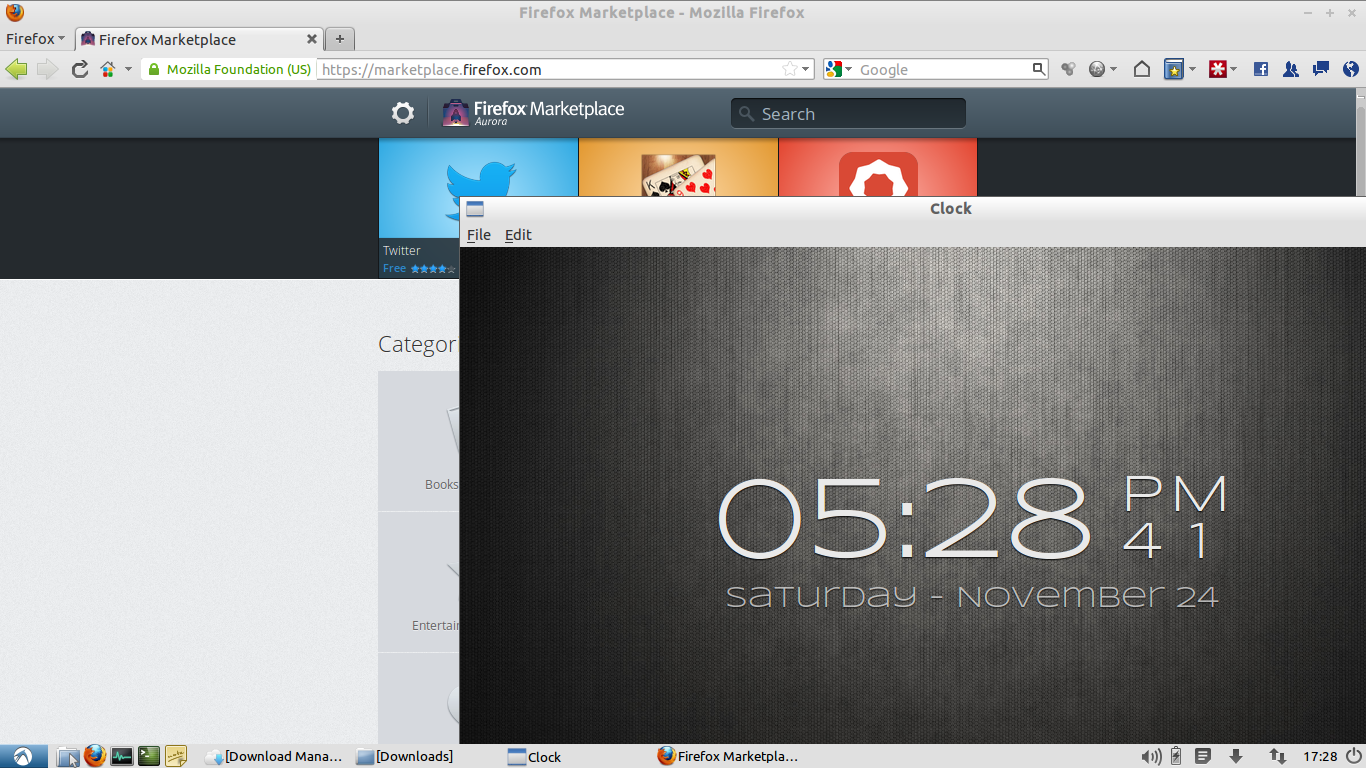
I went with the B2G nightly approach because I wanted to see the full thing running, not a simulation inside a browser. The screenshot above shows it in action – the Clock app is open in the foreground, and I had the Firefox Marketplace open in Firefox behind it.
Setting up B2G on Ubuntu
The process is straightforward if you’re comfortable with a terminal. Here’s what I did on Ubuntu 12.10.
First, grab the latest B2G nightly build from the Mozilla FTP. The URL changes as builds are published, so check the Gaia Hacking page on the Mozilla Wiki for the current link. Extract the tarball somewhere sensible – I used ~/b2g.
wget http://ftp.mozilla.org/pub/mozilla.org/b2g/nightly/latest-mozilla-central/b2g-19.0a1.en-US.linux-x86_64.tar.bz2
tar xjf b2g-19.0a1.en-US.linux-x86_64.tar.bz2 -C ~/b2g
Next, clone the Gaia repository. This is the UI layer – the apps, the home screen, everything you interact with.
git clone git://github.com/mozilla-b2g/gaia.git
cd gaia
make -C gaia profile
The make profile step generates a Firefox profile that B2G can use. It pulls together the Gaia code into a format the runtime understands.
Finally, make the B2G binary executable and run it with the profile:
chmod +x ~/b2g/b2g
~/b2g/b2g -profile gaia/profile
That’s it. B2G launches, you get the lock screen, slide it open, and you’re in the Firefox OS home screen. The apps are there – Clock, Camera, Contacts, Browser, Settings, and a few others. Many of them work, though some are still rough around the edges. The browser is fully functional, which is perhaps the most impressive part given that it’s running a complete Gecko engine inside a windowed desktop build.
What works, what doesn’t
The good: the UI is responsive, the app switching works, the browser renders pages correctly, and the whole thing feels surprisingly polished for something still in active development. The design language is clean – flat colours, smooth transitions, a sense that someone thought about how these things should feel.
The not-so-good: this is a desktop build, not a phone. Touch gestures don’t translate perfectly to a mouse and keyboard. Some of the apps expect hardware that a desktop doesn’t have – the camera app is essentially useless, for example. And because the platform is still evolving, you’ll hit bugs. Things crash. Some pages don’t render right. That’s expected at this stage.
Why bother?
If you’re a web developer, Firefox OS is worth paying attention to. It proves that a complete operating system can be built on web standards alone. The APIs it exposes – for contacts, camera, telephony, geolocation – are all web APIs. If you know how to build a web app, you already know how to build for Firefox OS.
And if you’re just curious about what Mozilla is up to, running the nightly build gives you a better sense of the direction than any blog post or keynote. You can see the design decisions, feel the interactions, and form your own opinion about whether a web-standards-based phone OS has a future.
I’ll be keeping an eye on this. The simulator is a great tool for developers, but there’s something about running the actual thing – even in a desktop window – that makes it feel real in a way the simulator doesn’t quite capture.